From setup to client portal, in four steps.
Connect your site once; maintenance, backups, updates and billing come together in a single panel. Your client follows everything transparently from their own portal.
Add your site, install the plugin
Add your site in the panel and install the free WordPress Assistant plugin. The site connects with a secure key; versions, plugins, users and health data start flowing automatically.
Let the panel watch for you
Uptime, SSL and domain/hosting expirations, PageSpeed scores and plugin updates are monitored continuously; when something goes wrong you get an email and app notification.
Automate maintenance and backups
Monthly maintenance checklists, daily/weekly/monthly automatic backups, remote updates from the panel and a one-click PDF maintenance report — recurring work runs itself.
Let your client follow along in the portal
Each client sees only their own sites, maintenance records, backups and payments in their portal. Transparency builds trust, and trust builds retention.
What does your client see in the portal?
The screens below are captured from the real client portal with demo data. Each client sees only their own data.
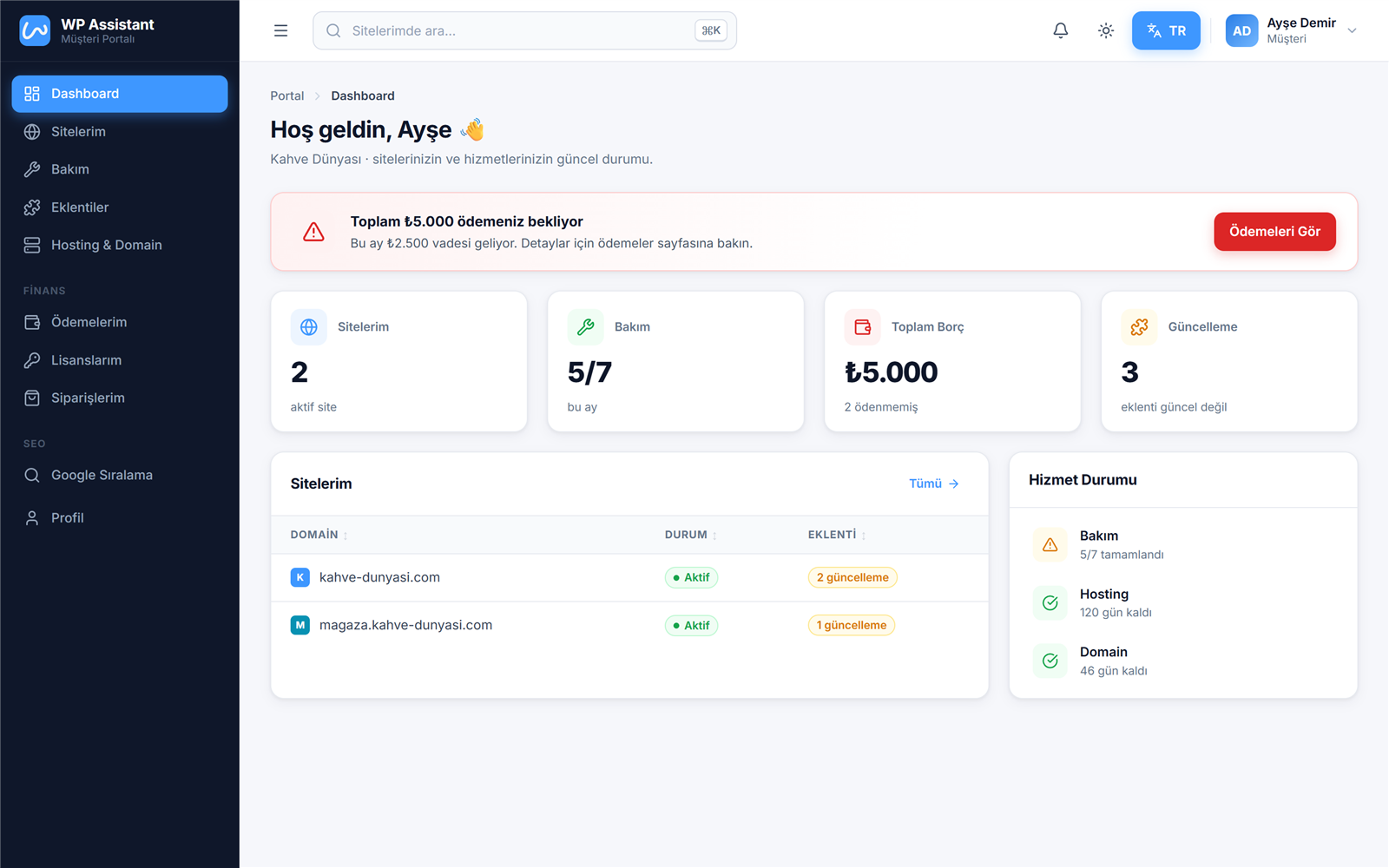
Dashboard
Overview: number of sites, this month's maintenance, outstanding payments and updates at a glance.
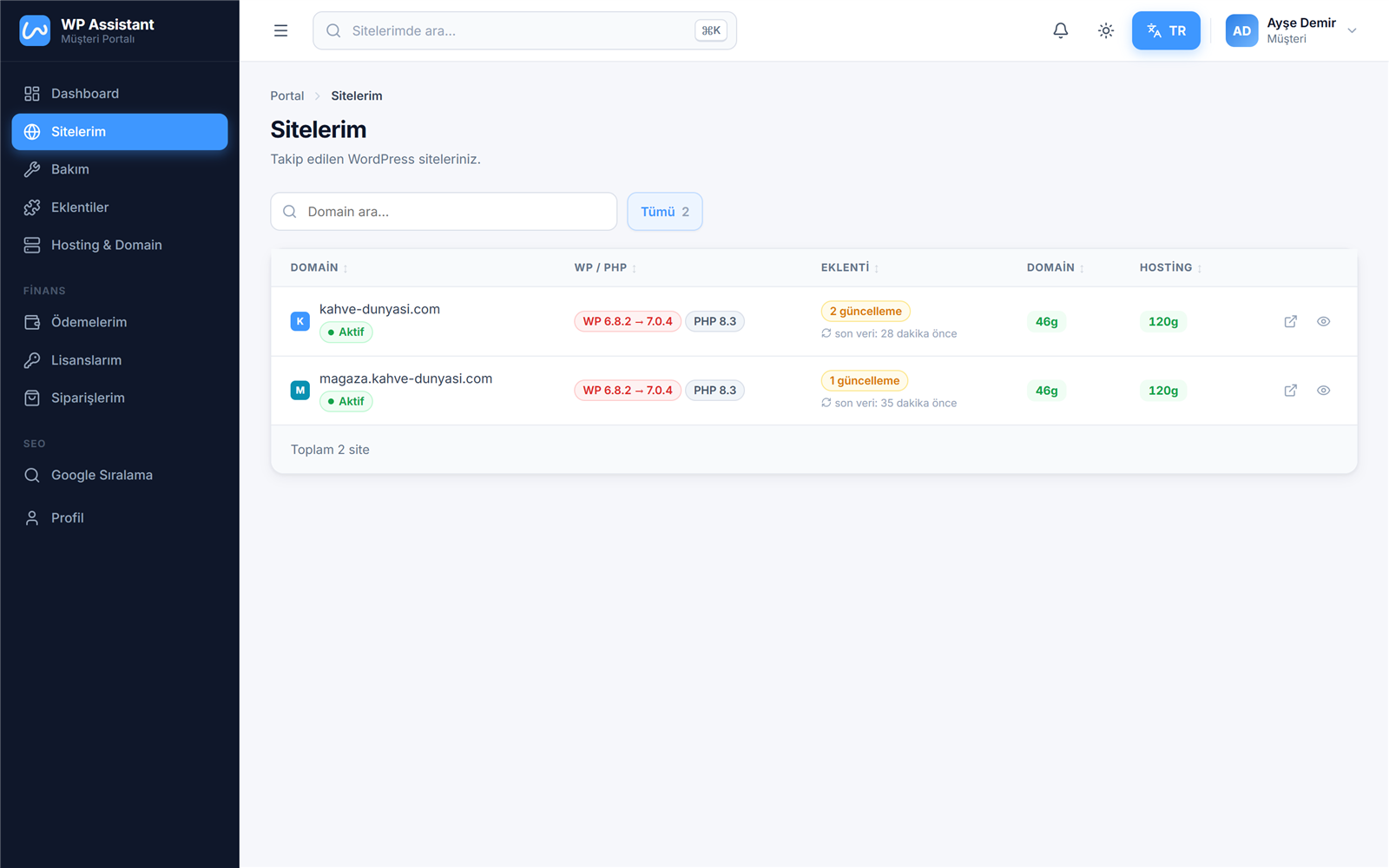
My Sites
Your client sees only their own sites: WordPress/PHP versions, pending plugin updates, domain and hosting expirations.
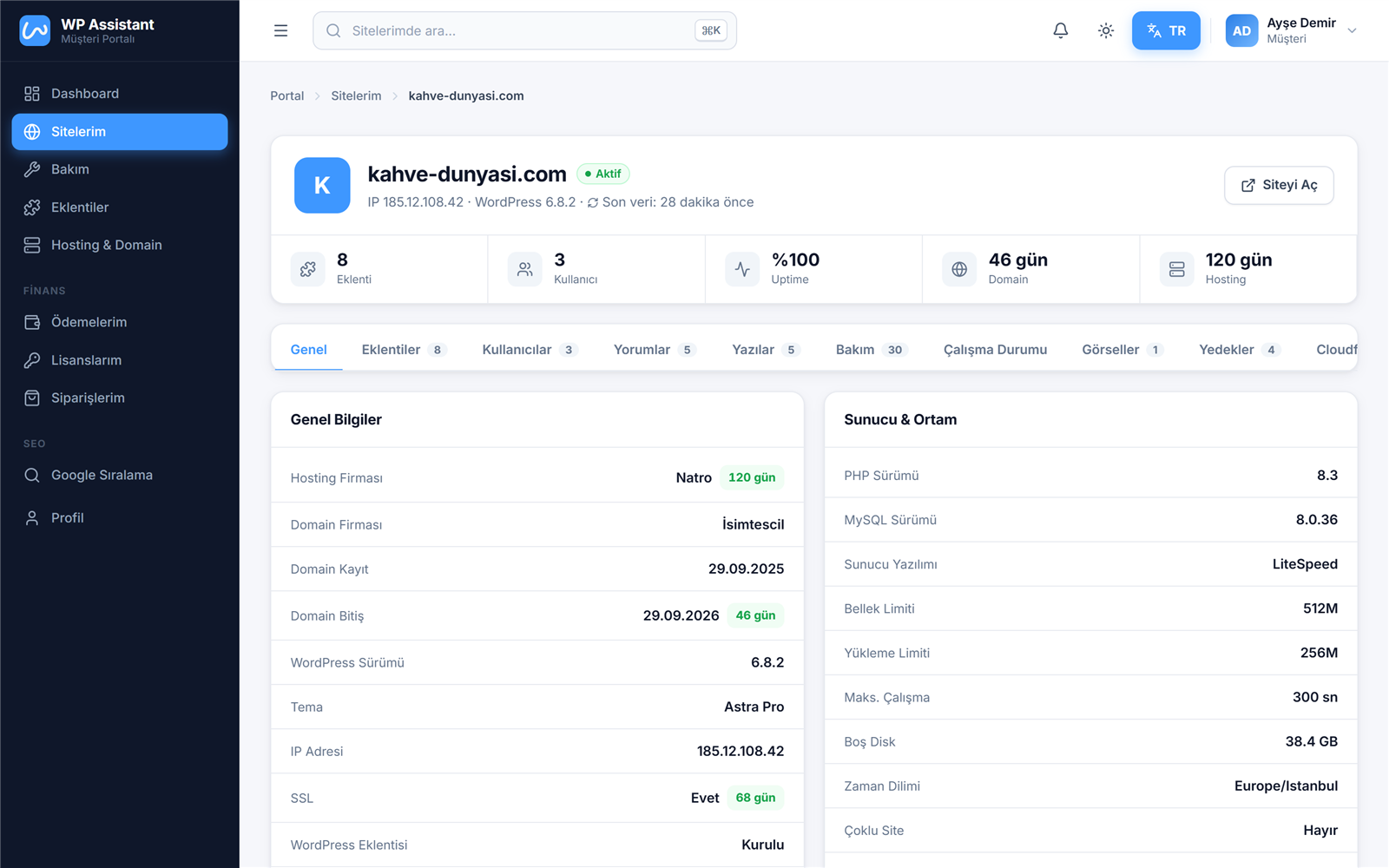
Site Detail
Single-site view: server info, SSL, uptime, plugins, users, comments and posts — organized in tabs.
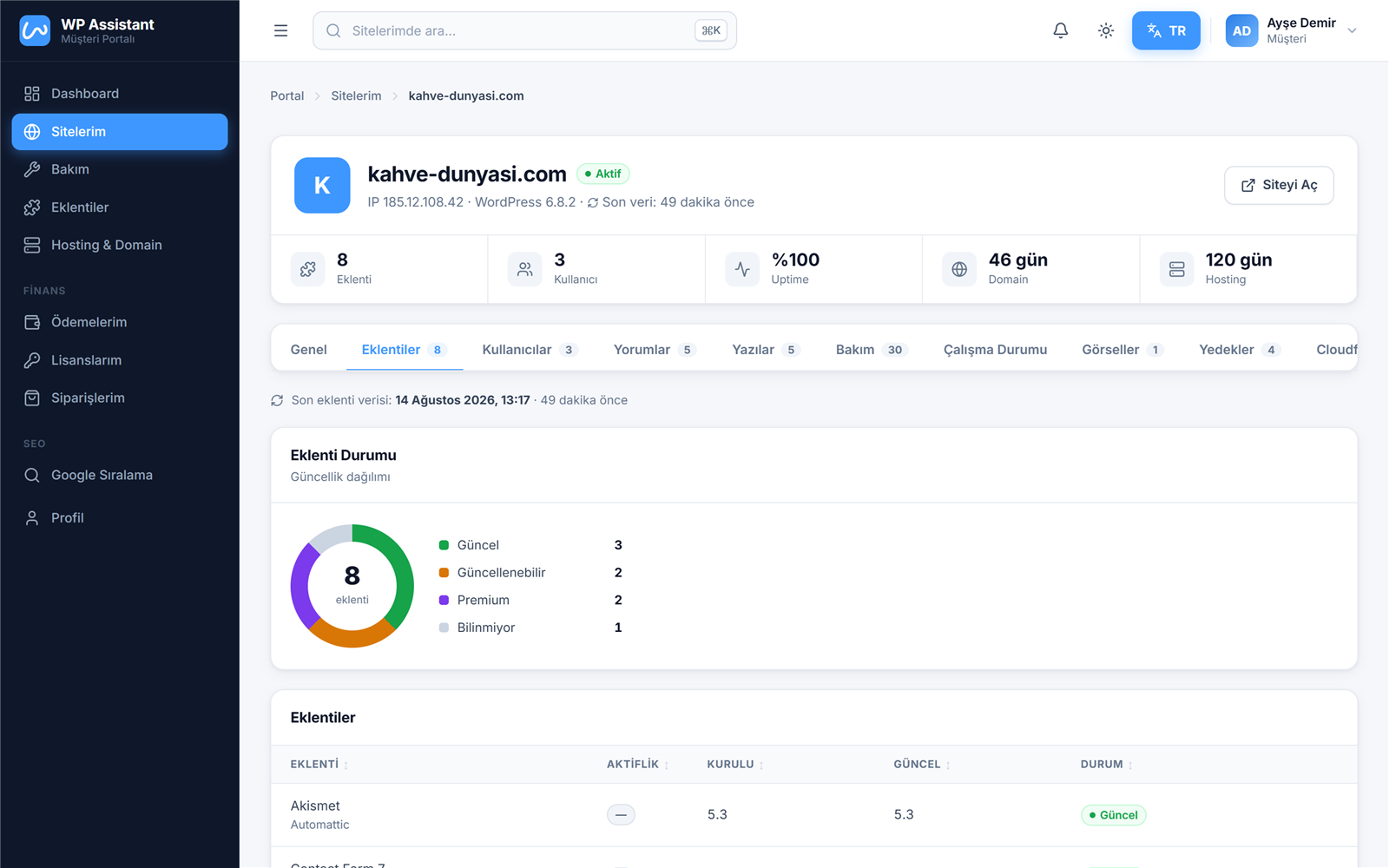
The site-detail tabs, one by one
In the single-site view every tab has its own job; your client can find every detail about their site on their own.
General
Hosting and domain companies, registration/expiry dates, WordPress-PHP-MySQL versions, SSL status, server environment and this month's maintenance summary.
Plugins
All installed plugins; version info, up-to-date/updatable/premium badges and an update-status distribution chart.
Users
WordPress users on the site; with role, email and registration date.
Comments
Latest comments on the site; with approved, pending and spam filters.
Posts
Blog posts; with status, author, date and comment count.
Maintenance
Month-by-month maintenance tasks for this site, completion rate and period chart.
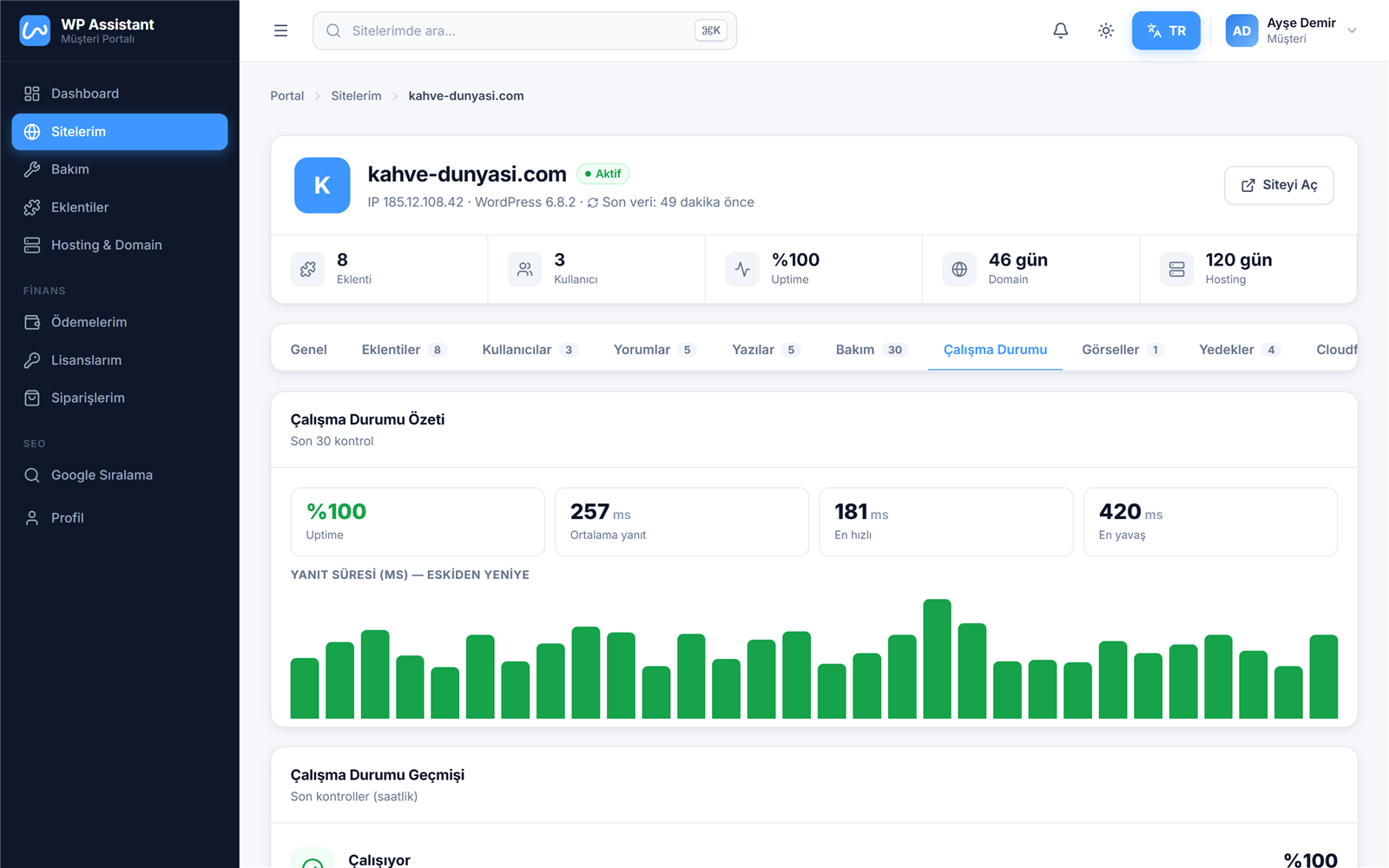
Uptime Status
Uptime percentage, average/fastest/slowest response times and a check-history chart.
Images
Automatic full-page screenshots taken once a day; with a history archive.
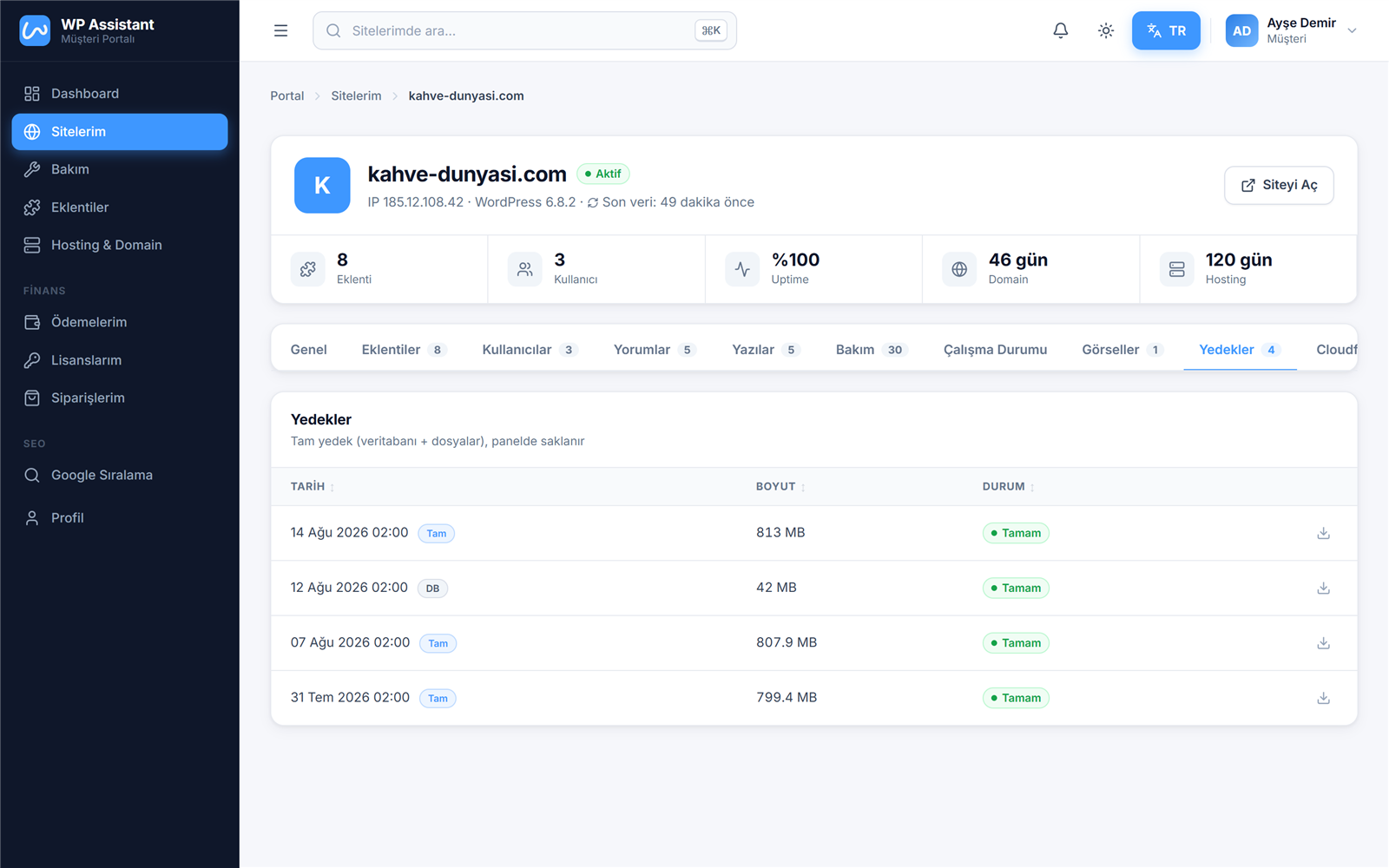
Backups
Full, database and FTP backups; size, status and one-click download.
Cloudflare
If the site is connected to Cloudflare: zone status, DNS records and security level.
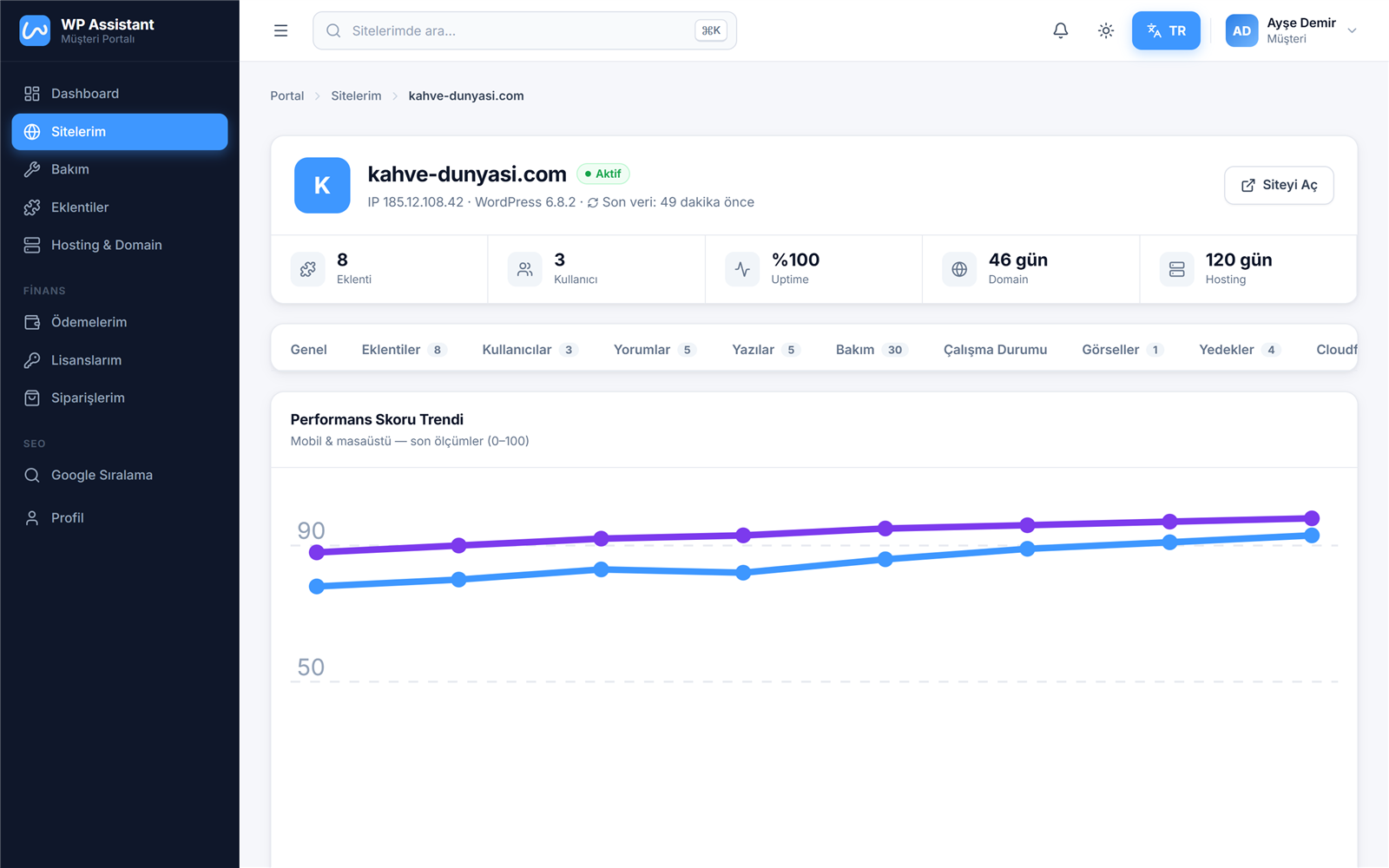
PageSpeed
Google Lighthouse scores; mobile and desktop trend chart plus lab metrics like LCP and CLS.
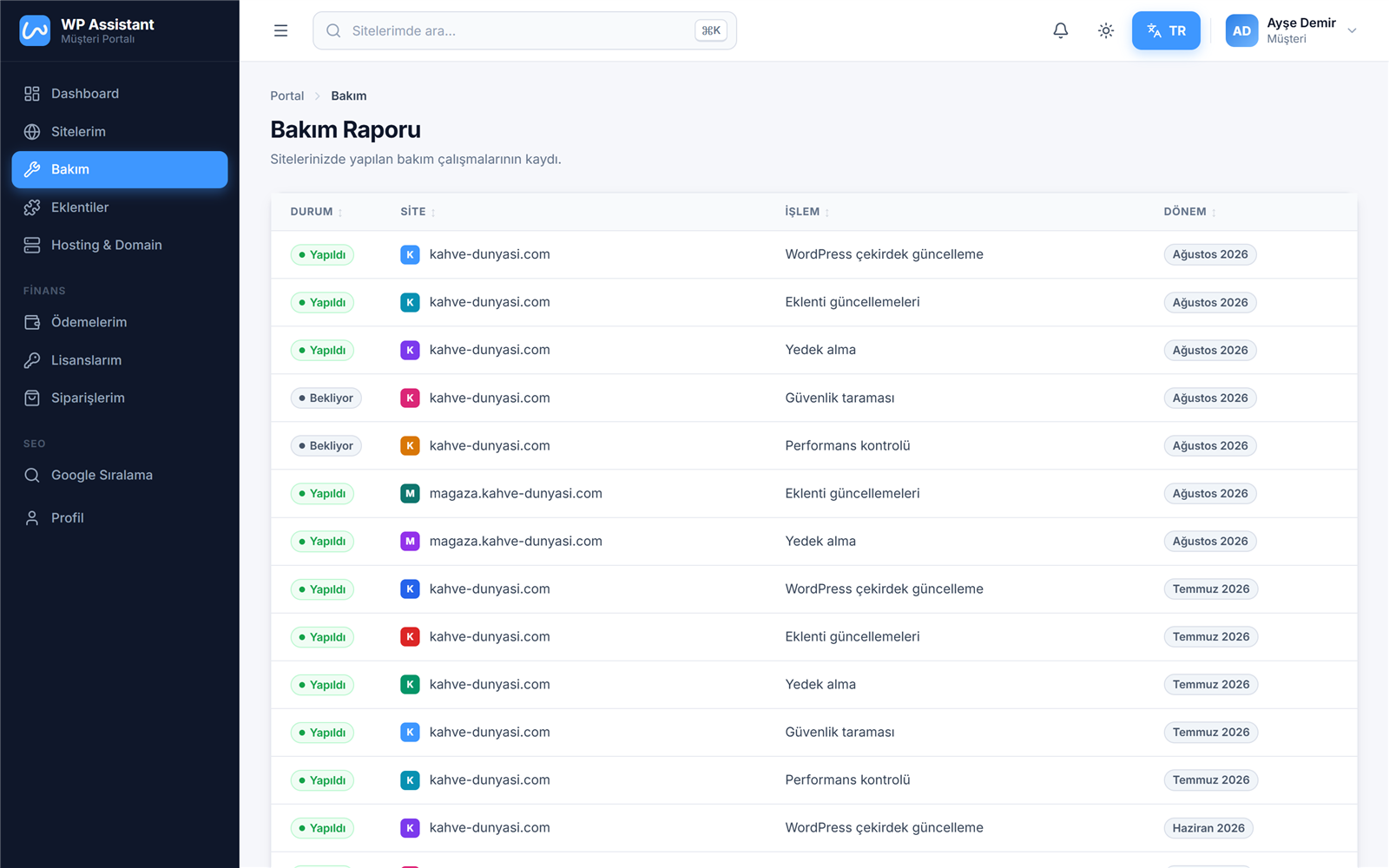
Maintenance
Month-by-month maintenance log: what was done on which site and when — fully transparent.
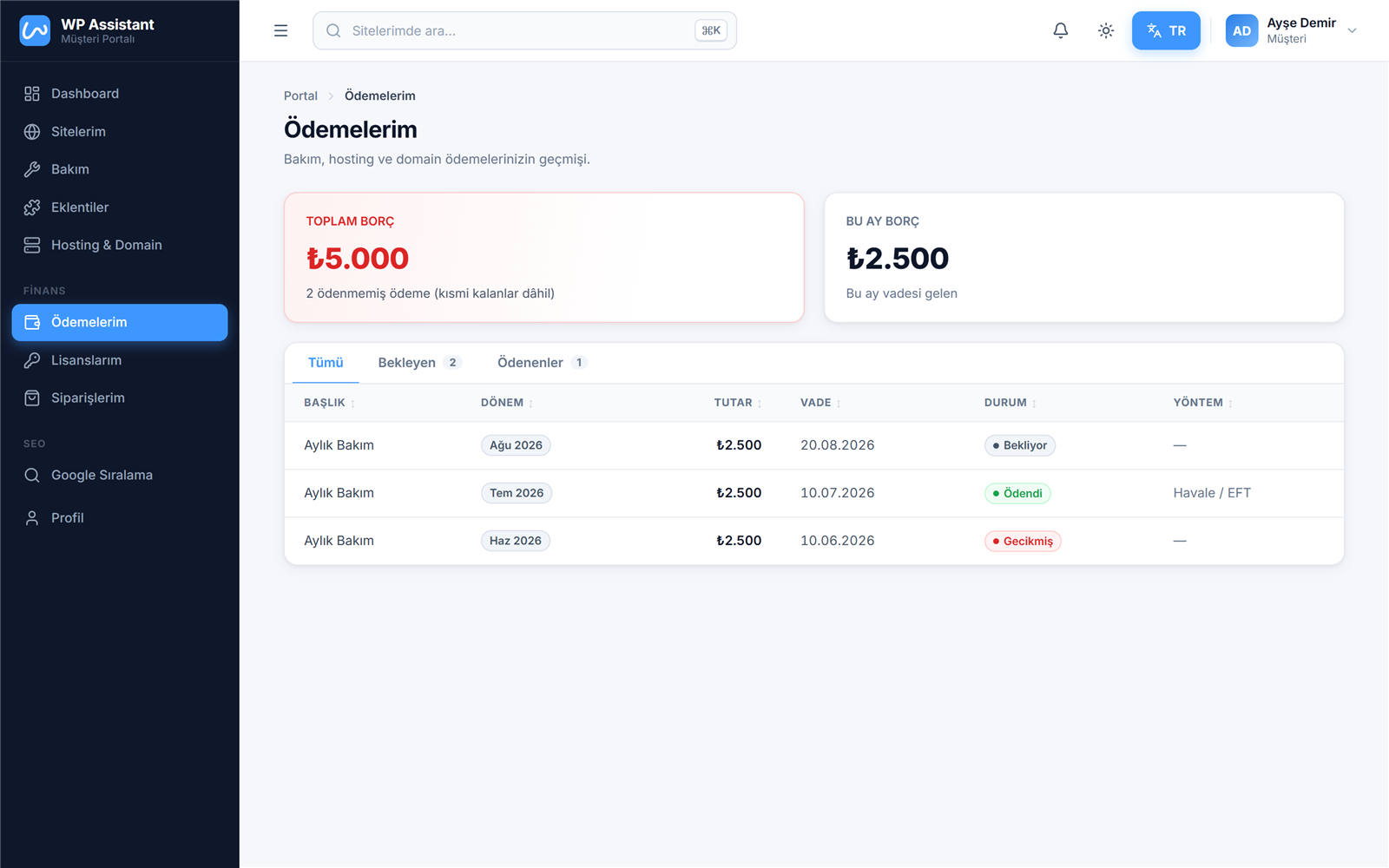
My Payments
Payment history and outstanding amounts with period, due date and status — no surprise invoices.
Bring your agency into one panel today
Meet our team and let's plan a demo tailored to your agency.
Get in touch